
The 6 Best Omnichannel Support Platforms
Compare the 6 best omnichannel support platforms in 2026. Unify email, chat, social, phone, and messaging into one agent workspace for seamless support.
TidySupport Team
Published on April 11, 2026
The 6 Best Omnichannel Support Platforms
Customers do not think in channels. They email you on Monday, chat on Tuesday, and DM you on Instagram on Wednesday — and they expect you to know who they are and what they have already told you each time. When your support tools treat each channel as a separate silo, customers repeat themselves, agents lose context, and everyone wastes time.
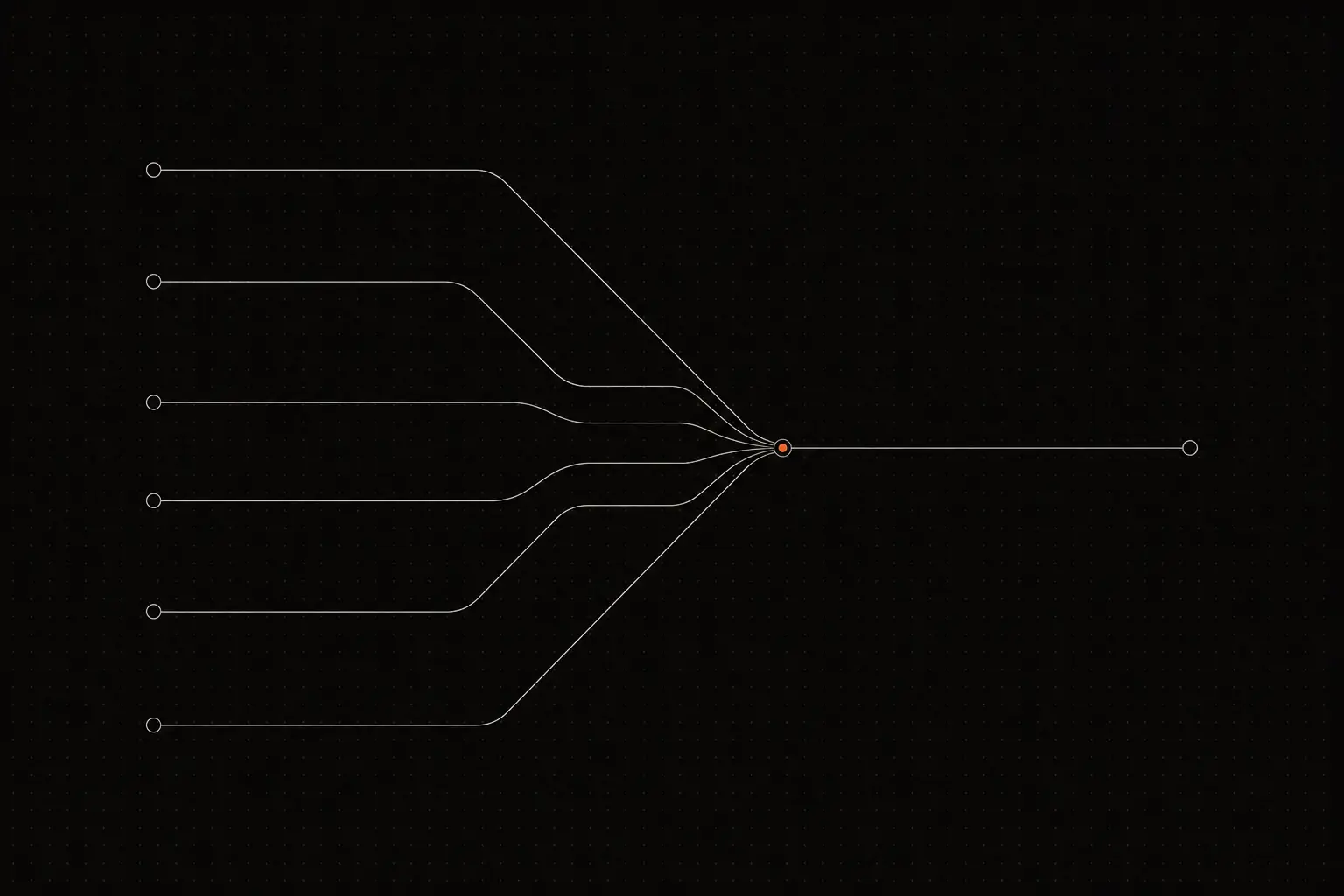
Omnichannel support platforms solve this by unifying every channel into a single agent workspace. Whether a customer reaches out via email, chat, social media, phone, or messaging apps, the agent sees one continuous conversation thread with full history.
This guide compares six platforms that deliver true omnichannel support — not just multi-channel availability, but unified conversation experiences.
What Is an Omnichannel Support Platform?
An omnichannel support platform unifies customer conversations from multiple channels — email, live chat, social media, phone, SMS, WhatsApp, and more — into a single agent workspace. The key difference from multi-channel support is continuity: when a customer switches from chat to email, the conversation history follows. Agents never have to ask "Can you repeat what you told my colleague?" because all context is visible in one timeline.
To understand the distinction, consider a real scenario. A customer chats with your team on Monday about a billing issue. The conversation does not get resolved, so they send an email on Tuesday with additional details. In a multi-channel setup, the email agent sees a new, disconnected ticket with no context. In an omnichannel setup, the email appears as a continuation of Monday's chat. The agent sees the full history, picks up where the chat left off, and resolves the issue faster. The customer never has to explain anything twice.
What Makes the Best Omnichannel Support Platform?
True omnichannel is harder to build than it sounds. Here is what separates real omnichannel from marketing claims:
- Unified customer profile: Every interaction from every channel is linked to a single customer profile. One customer, one timeline.
- Channel continuity: A conversation that starts on chat and continues on email should appear as one thread, not two separate tickets.
- Consistent agent experience: Agents should reply to chat, email, and social from the same interface. No switching between different tools or dashboards.
- Customer choice: Let customers pick their preferred channel. Do not force chat on people who prefer email, or vice versa.
- Channel-appropriate responses: Replies should feel native to each channel. A WhatsApp reply should not look like a formal email.
- Unified reporting: Analytics should span all channels so you can compare performance and volume across them.
- Smart routing: Route conversations to the right agent regardless of which channel they came from.
Quick Comparison Table
| Tool | Best For | Starting Price | Channels Supported |
|---|---|---|---|
| TidySupport | Startups unifying email + chat | Free | Email, live chat |
| Zendesk | Enterprise full-channel unification | $19/agent/mo | Email, chat, phone, social, WhatsApp |
| Freshdesk Omnichannel | Budget omnichannel | $29/agent/mo | Email, chat, phone, social, WhatsApp |
| Intercom | SaaS in-app + email + social | $29/seat/mo | Chat, email, social, WhatsApp |
| HelpWise | Multi-channel shared inbox | $15/user/mo | Email, chat, SMS, WhatsApp, social |
| Salesforce Service Cloud | Enterprise CRM-connected support | $25/user/mo | Email, chat, phone, social, SMS |
The 6 Best Omnichannel Support Platforms
1. TidySupport — Best Omnichannel for Teams Starting with Email and Chat

TidySupport delivers true omnichannel by unifying the two channels that matter most for most support teams: email and live chat. Instead of treating them as separate tools with separate dashboards, TidySupport puts both in one inbox. When a customer chats and then follows up via email, the agent sees one conversation, not two.
Key features:
- Unified email and chat inbox: Both channels share one queue. Agents work from a single interface.
- Seamless channel switching: When a chat visitor goes offline, the conversation continues over email automatically. No duplicate tickets.
- Single customer profile: All interactions are linked to one customer, regardless of channel.
- AI across channels: AI reply suggestions work for both email and chat conversations.
- Knowledge base: Customers can search help articles from the chat widget or the help center, deflecting tickets across channels.
- Session replay: See what customers experienced on your site, adding visual context to any conversation.
- Consistent reporting: Track response times, resolution times, and satisfaction across both channels.
Limitations:
- Currently supports email and chat — social media, phone, and WhatsApp channels are not yet available.
- Fewer total channels than enterprise platforms like Zendesk.
Pricing: Free tier available. Paid plans with all channels included.
TidySupport is the best starting point for omnichannel support. Most teams only need email and chat, and TidySupport unifies them better than tools that spread thin across 10 channels.
2. Zendesk — Best Enterprise Omnichannel Platform

Zendesk offers the most comprehensive omnichannel experience in the market. Its Agent Workspace unifies email, chat, phone, social media, WhatsApp, and more into a single view. For enterprise organizations that need every channel covered, Zendesk delivers.
Key features:
- Agent Workspace unifying all channels
- Voice/phone support with IVR and call recording
- Social messaging: WhatsApp, Facebook, Instagram, Twitter, and more
- Unified customer profile across channels
- Channel switching within a single conversation
- Advanced routing based on channel, topic, and agent skill
- Omnichannel analytics with Explore
Limitations:
- Full omnichannel requires Suite Growth plan ($55/agent/mo) or higher.
- Setup complexity increases with each channel.
- Voice channel requires additional infrastructure.
- Price per agent scales quickly for large teams.
Pricing: Suite Team at $19/agent/mo (limited channels). Suite Growth at $55/agent/mo. Suite Professional at $115/agent/mo.
Zendesk is the right omnichannel platform for enterprises that need every channel in one workspace and have the budget to support it.
3. Freshdesk Omnichannel — Best Budget Full-Channel Platform

Freshdesk Omnichannel bundles Freshdesk (ticketing), Freshchat (messaging), and Freshcaller (phone) into one platform. It offers more channels than TidySupport at a lower price than Zendesk, making it the budget-friendly full-omnichannel option.
Key features:
- Unified ticketing across email, chat, phone, social, and WhatsApp
- Freshchat for messaging channels
- Freshcaller for voice with IVR
- Freddy AI across channels
- Unified customer timeline
- SLA management with channel-specific rules
- Bot support across messaging channels
Limitations:
- The "omnichannel" is technically three products bundled together, and the integration can feel stitched.
- The interface is less cohesive than Zendesk's unified workspace.
- Some features require configuration across multiple admin panels.
Pricing: Growth Omnichannel at $29/agent/mo. Pro Omnichannel at $59/agent/mo. Enterprise at $99/agent/mo.
Freshdesk Omnichannel is the best budget option for teams that need phone, chat, and email in one platform.
4. Intercom — Best Omnichannel for SaaS Products

Intercom unifies in-app chat, email, social media, and WhatsApp into its inbox. Its strength is the in-app messenger — a polished channel that most competitors cannot match. For SaaS products where in-app support is critical, Intercom offers the best omnichannel experience.
Key features:
- Best-in-class in-app messenger
- Email, social, and WhatsApp unified in one inbox
- Fin AI agent across all channels
- Proactive messaging triggered by user behavior
- Help center integrated into the messenger
- Conversation routing based on topic and customer attributes
Limitations:
- No native phone/voice channel.
- Pricing is complex (seats + AI resolutions + outbound messages + features).
- The platform has grown complex, with many features most teams will not use.
- Expensive for small teams.
Pricing: Essential at $29/seat/mo. Advanced at $85/seat/mo. Expert at $132/seat/mo.
Intercom is the best omnichannel platform for SaaS products that prioritize in-app customer communication.
5. HelpWise — Best Multi-Channel Shared Inbox

HelpWise focuses on being a shared inbox for every channel. Email, SMS, WhatsApp, Facebook, Instagram, Twitter, and live chat all feed into one inbox. It is less feature-rich than enterprise platforms but more accessible for small teams that need multi-channel coverage.
Key features:
- Shared inbox for email, SMS, WhatsApp, social media, and chat
- Unified customer profiles
- Assignment and collision detection
- Knowledge base and chat widget
- Automation rules for routing
- Integrations with Shopify, HubSpot, Slack, and more
Limitations:
- Reporting and analytics are less mature than Zendesk or Freshdesk.
- AI features are limited.
- The interface can feel cluttered when managing many channels.
- Some channels require higher-tier plans.
Pricing: Standard at $15/user/mo. Premium at $25/user/mo. Advanced at $50/user/mo.
HelpWise is a solid choice for small teams that need SMS and WhatsApp alongside email and chat at an accessible price.
6. Salesforce Service Cloud — Best for CRM-Connected Omnichannel

Salesforce Service Cloud provides omnichannel support connected to the world's most popular CRM. Agents see support interactions alongside sales history, marketing engagement, and account details — creating the most complete customer context available.
Key features:
- Omni-Channel routing engine for intelligent conversation distribution
- Einstein AI for classification, routing, and reply suggestions
- Deep CRM integration with full customer lifecycle visibility
- Voice, email, chat, social, and messaging channels
- Case management with complex workflow support
- Knowledge base with article recommendations
Limitations:
- Extremely expensive and complex for small teams.
- Requires Salesforce ecosystem expertise for setup and administration.
- Implementation typically takes months with consultant involvement.
- Licensing is confusing with many add-ons and tiers.
Pricing: Starter at $25/user/mo. Professional at $80/user/mo. Enterprise at $165/user/mo.
Salesforce Service Cloud is for organizations already running on Salesforce CRM that need support fully integrated into their customer data platform.
Common Omnichannel Mistakes to Avoid
Adding channels customers do not use. Offering WhatsApp support sounds good on paper, but if your customers never use WhatsApp to contact businesses, you are paying for and staffing a dead channel. Audit your actual customer communication patterns before adding channels.
Treating all channels the same. Each channel has different expectations. Chat expects sub-minute response times. Email expects hours. Social media falls somewhere in between. Set different SLAs and staffing models for each channel rather than applying one standard across all.
Neglecting the channel transition experience. The most important test of an omnichannel platform is what happens when a customer switches channels. If a customer chats on Monday and emails on Wednesday, can the agent see the Monday chat? If not, you have multi-channel, not omnichannel.
Spreading agents too thin. Five agents covering seven channels means each channel has less than one agent. This leads to slow response times everywhere rather than fast response times on the channels that matter. Concentrate your agents on your highest-volume channels and route lower-volume channels to the same agents as overflow.
Ignoring mobile. Many customers reach out from mobile devices. Your chat widget, forms, and social integrations must work well on mobile. Test the customer experience on a phone, not just a desktop browser.
How to Choose the Right Omnichannel Platform
Start with fewer channels, do them well. It is better to deliver great support on email and chat than mediocre support across seven channels. Start with TidySupport for email and chat, and add channels only when customers demand them.
Audit where customers actually reach out. Before buying an eight-channel platform, check your actual channel usage. Many companies discover that 90% of their conversations come from email and chat. Do not pay for WhatsApp, SMS, and social integrations you will never use.
Test the unified experience. During your evaluation, simulate a customer switching from chat to email. Does the agent see one conversation? Does the customer have to repeat information? If yes, it is multi-channel, not omnichannel.
Consider the agent experience. Agents who switch between multiple tools for different channels are slower and more error-prone. True omnichannel means one interface for all channels. Test how natural it feels to reply across channels from a single workspace.
Watch total cost. Omnichannel platforms often charge per channel or require higher tiers for certain channels. Calculate the total cost for your team size and the specific channels you need.
Frequently Asked Questions
What is the difference between multi-channel and omnichannel support?
Multi-channel means you offer support on multiple channels — email, chat, social media, phone. But each channel might be managed separately, with different tools and separate conversation histories. Omnichannel means those channels are unified into one agent workspace. An agent sees the full conversation history regardless of which channel the customer used. Omnichannel eliminates the need for customers to repeat themselves when switching channels.
How many support channels should I offer?
Start with email and live chat — these cover approximately 80% of customer support needs for most businesses. Add channels based on actual customer demand, not theoretical coverage. Add social media if customers regularly DM you on Twitter or Instagram. Add phone if your product requires voice support. Add WhatsApp if your market expects it. Each new channel adds operational complexity, so expand gradually.
Does omnichannel support improve customer satisfaction?
Yes. Research consistently shows that omnichannel support increases customer satisfaction by 20-30%. The primary driver is not channel variety — it is context continuity. When customers do not have to repeat their issue every time they switch channels, they feel heard and respected. Faster resolution times also contribute, since agents with full context resolve issues more quickly.
Is omnichannel support only for enterprise teams?
No. Modern tools like TidySupport provide genuine omnichannel capabilities (email + chat unified) at startup-friendly prices, including a free tier. You do not need to be an enterprise to unify your support channels. The key is to add channels incrementally — start with email and chat, unify those well, and expand from there.
Frequently Asked Questions
What is the difference between multi-channel and omnichannel support?
Multi-channel means you offer support on multiple channels (email, chat, social). Omnichannel means those channels are unified — an agent sees the full conversation history regardless of which channel the customer used. Omnichannel eliminates the need for customers to repeat themselves.
How many support channels should I offer?
Start with email and live chat — these cover 80% of customer support needs. Add channels based on customer demand: social media if customers reach out there, phone if your product requires it, WhatsApp if your market expects it.
Does omnichannel support improve customer satisfaction?
Yes. Research shows that omnichannel support increases customer satisfaction by 20-30% because customers can use their preferred channel and do not have to repeat information when switching channels. It also reduces resolution times because agents have full context.
Is omnichannel support only for enterprise teams?
No. Modern tools like TidySupport provide omnichannel capabilities (email + chat) at startup-friendly prices. You do not need to be an enterprise to unify your support channels — but you should add channels gradually rather than all at once.