
What Is a Shared Inbox? The Complete Guide
Learn what a shared inbox is, how it works, and why teams use one to manage customer emails together. Covers features, benefits, and best practices.
TidySupport Team
Published on April 11, 2026
If your team manages customer emails through a generic address like support@, info@, or sales@, you have probably run into the same problems everyone does. Two agents reply to the same message. A conversation falls through the cracks because everyone assumed someone else was handling it. There is no way to tell whether a question was answered three hours ago or three days ago.
A shared inbox solves all of that. This guide explains exactly what a shared inbox is, why it matters, and how to set one up so your team can work together without stepping on each other's toes.
What Is a Shared Inbox?
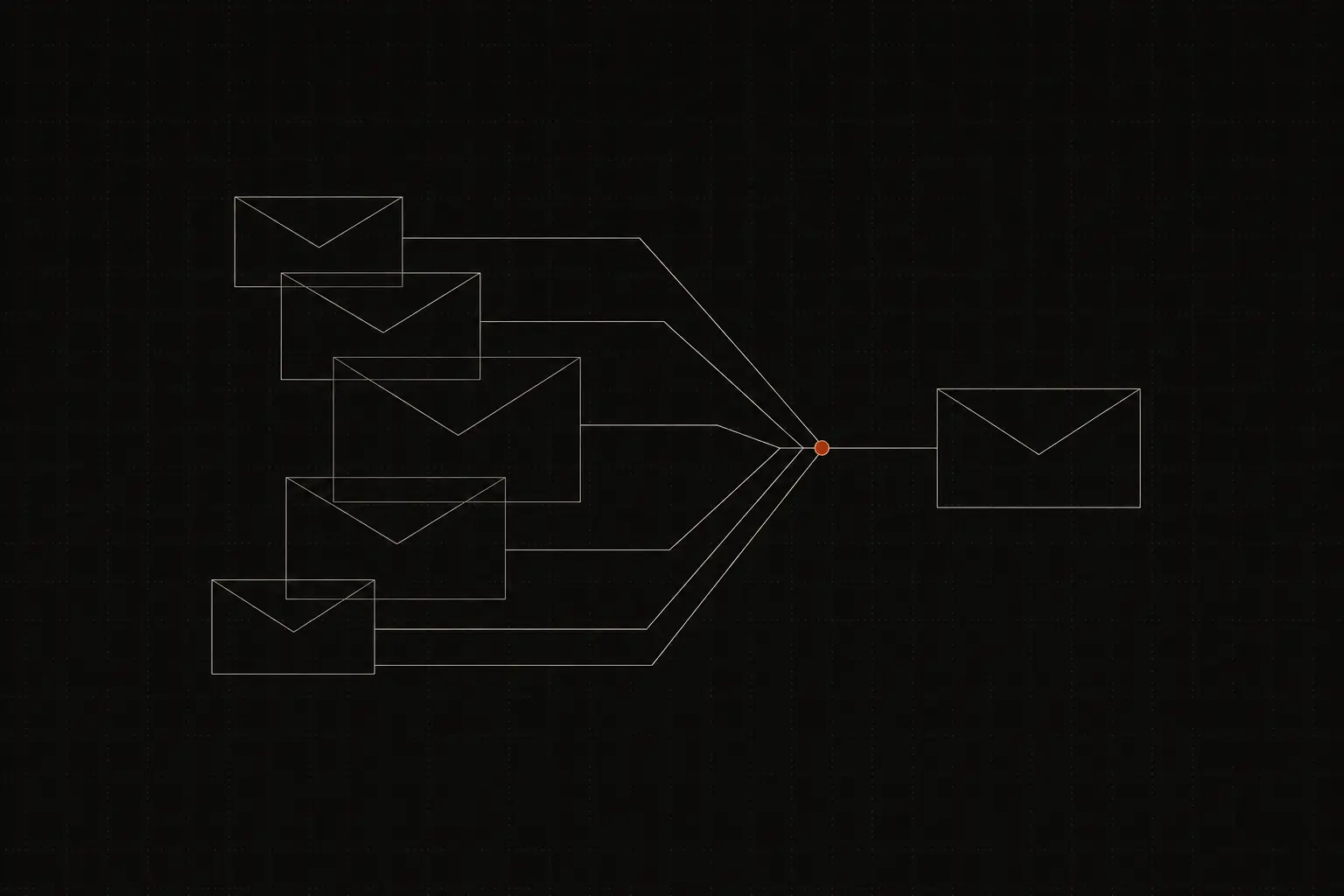
A shared inbox is a single mailbox that multiple team members can access, read, and respond to — without sharing a password and without forwarding emails to individual accounts.
Think of it as a workspace built around an email address. When a customer sends a message to help@yourcompany.com, it lands in the shared inbox. From there, any team member can see the message, assign it, add an internal note, or reply. The customer only ever sees a response from your team address — they never know (or need to know) which specific person answered.
What makes a shared inbox different from simply logging into a Gmail or Outlook account with the same credentials is the layer of collaboration on top. A proper shared inbox includes features like assignment, status tracking (open, pending, closed), internal notes, and collision detection so two people never draft a reply to the same email at the same time.
The concept is simple, but the impact is significant. A shared inbox turns a chaotic, every-person-for-themselves email workflow into an organized, transparent queue where nothing gets lost.
Shared inbox vs. distribution list
A distribution list (or group alias) forwards a copy of each incoming email to every member's personal mailbox. The problems start immediately: replies go out from individual addresses, nobody can see what anyone else has done, and there is no shared record of the conversation. A shared inbox keeps everything in one place with full team visibility.
Shared inbox vs. help desk
A help desk is a broader category that usually includes ticketing, automation, knowledge base management, and reporting in addition to shared email. A shared inbox can be a standalone tool or a feature within a help desk. For many small and mid-sized teams, a shared inbox with a few lightweight automations is all they need.
Why a Shared Inbox Matters
Managing customer email without a shared inbox works right up until it doesn't. Here is why teams make the switch.
No more duplicate replies
Without visibility into who is doing what, two agents inevitably reply to the same customer within minutes of each other. It looks unprofessional and confuses the customer. A shared inbox shows you in real time when a colleague is viewing or replying to a conversation, eliminating the problem entirely.
Nothing falls through the cracks
When emails sit in a personal inbox, they depend on one person remembering to follow up. If that person gets busy, goes on vacation, or simply misses the notification, the customer waits. A shared inbox gives the entire team visibility, so anyone can pick up an unassigned or overdue conversation.
Faster response times
Research from SuperOffice found that the average company takes over 12 hours to respond to a customer email. Teams that use a shared inbox typically cut that number dramatically because the workload is distributed and transparent. Agents can grab the next conversation in the queue without waiting for someone to forward it.
Accountability without micromanagement
Managers can see who handled what, how long it took, and what the outcome was — without hovering over anyone's shoulder. This makes it easy to spot bottlenecks, balance workloads, and coach team members with real data instead of guesswork.
Institutional knowledge stays with the team
When a support agent leaves and their personal inbox goes with them, so does every conversation and piece of context they had. With a shared inbox, the full history stays in one place. A new hire can read previous conversations and pick up right where the last person left off.
Key Features of a Shared Inbox
Not every shared inbox tool is created equal. Here are the features that separate a genuinely useful tool from a glorified email forwarder.
Assignment and ownership
Every conversation should be assignable to a specific person or team. This removes ambiguity about who is responsible. Look for tools that let you assign manually, round-robin automatically, or use rules based on keywords, customer attributes, or time of day.
Conversation status
At a minimum, you need open, pending (waiting on the customer), and closed states. Some tools add snoozed or on-hold statuses. The point is to give every conversation a clear place in the workflow so nothing sits in limbo.
Internal notes and @mentions
Your team needs a way to discuss a conversation without the customer seeing. Internal notes let agents loop in colleagues, ask questions, or leave context for the next person — all within the conversation thread. Mentioning a teammate with @ should send them a notification so they can jump in quickly.
Collision detection
This is the feature that prevents the classic "two agents typing at the same time" problem. Good shared inbox tools show a real-time indicator when someone else is viewing or composing a reply in the same conversation.
Tagging and categorization
Tags let you organize conversations by topic, priority, product, or any other dimension that makes sense for your team. Over time, tags become a goldmine for spotting trends — you might notice a spike in billing-related questions after a pricing change, for example.
Saved replies and templates
If your team answers the same questions repeatedly, saved replies (sometimes called canned responses) let you insert a pre-written answer with one click and personalize it before sending. This saves time without sacrificing quality.
Automation rules
Basic automations — like auto-assigning conversations that contain the word "billing" to your finance team, or auto-tagging messages from VIP customers — reduce manual work and keep your inbox organized as volume grows.
Reporting and analytics
You cannot improve what you do not measure. A good shared inbox provides metrics like first response time, resolution time, conversations per agent, and customer satisfaction scores. These numbers help you set goals, track progress, and make a case for hiring when the team is stretched thin.
How to Set Up a Shared Inbox
Setting up a shared inbox is straightforward, but a little planning upfront saves headaches later.
Step 1: Choose the right tool
Evaluate shared inbox tools based on the channels you need (email, chat, social), the size of your team, your budget, and the integrations that matter to you. Tools like TidySupport are purpose-built for teams that want a clean shared inbox with chat support built in, without the complexity of a full enterprise help desk.
Step 2: Connect your email address
Most shared inbox tools let you connect an existing email address (support@, help@, etc.) by forwarding or via direct IMAP/SMTP connection. The direct connection is usually better because it keeps replies threaded properly and avoids forwarding quirks.
Step 3: Invite your team
Add your support agents and set appropriate permissions. Decide who can delete conversations, who can manage settings, and who has access to reports. Keep permissions tight — not everyone needs admin access.
Step 4: Set up basic automations
Start simple. A few rules go a long way:
- Auto-assign conversations to specific teams based on the receiving email address (support@ vs. sales@).
- Auto-tag conversations that contain certain keywords.
- Send an auto-reply to confirm receipt if your team cannot guarantee an immediate response.
Step 5: Create saved replies for common questions
Audit your recent emails and identify the ten to fifteen most common questions. Write clear, friendly saved replies for each one. This alone can cut your average handle time significantly.
Step 6: Agree on team conventions
Decide on a few ground rules: How quickly should new conversations be acknowledged? When should a conversation be marked as closed? What tags should be used consistently? Document these and share them with the team. A shared inbox works best when everyone follows the same workflow.
Best Practices for Managing a Shared Inbox
1. Respond to new conversations within one hour during business hours
Speed matters. Customers who get a quick acknowledgment — even if the full answer takes longer — are significantly more satisfied than those who wait in silence.
2. Assign every conversation to a specific person
Unassigned conversations are no one's responsibility, which means they are everyone's problem. Make it a habit to assign conversations immediately, either manually or through automation.
3. Use internal notes instead of side channels
Resist the urge to discuss customer issues in Slack or over email. Keep the context in the conversation thread where it belongs. This way, the next person who looks at the conversation has the full picture.
4. Close conversations when they are resolved
An inbox full of old, resolved conversations is just as bad as a messy email account. Close conversations once the customer's issue is resolved, and snooze ones that are waiting for a follow-up so they resurface at the right time.
5. Review metrics weekly
Set aside fifteen minutes each week to review your team's response times, resolution rates, and volume trends. This keeps small problems from becoming big ones.
6. Rotate inbox triage duty
Rather than expecting everyone to watch the inbox at all times, assign one person per shift to triage — reading new conversations, assigning them to the right teammate, and flagging anything urgent. This lets the rest of the team focus on resolving their assigned conversations.
7. Keep your saved replies up to date
Saved replies that reference outdated pricing, old features, or last year's policies do more harm than good. Review and update them quarterly.
8. Tag consistently
Tags are only useful if everyone uses them the same way. Publish a short list of approved tags and their definitions. Remove tags that nobody uses.
Tools and Resources
Several tools offer shared inbox functionality, ranging from lightweight and focused to full-featured help desks:
- TidySupport — A clean shared inbox that unifies email and live chat in one place. Designed for small and mid-sized teams that want simplicity without sacrificing the features that matter, like collision detection, internal notes, and built-in analytics.
- Google Collaborative Inbox — A free option built into Google Groups. It covers the basics (assigning, marking resolved) but lacks features like collision detection, automation, and reporting.
- Outlook Shared Mailbox — Microsoft's built-in option for Microsoft 365 users. Functional for very small teams but limited in collaboration features.
- Help Scout — A help desk with a strong shared inbox at its core. Good for growing teams that anticipate needing knowledge base and docs features.
- Front — Combines shared inboxes with personal email in a single interface. Popular with teams that want to keep individual email alongside shared accounts.
The right choice depends on your team size, budget, and the channels you need to support. If your primary channels are email and chat and you want something that is easy to set up and stay organized in, TidySupport is worth a look.
Frequently Asked Questions
Is a shared inbox the same as a ticketing system?
Not exactly. A ticketing system assigns a unique ID to each customer request and typically includes more structured workflows, SLAs, and escalation paths. A shared inbox can include light ticketing features, but it is generally simpler and more email-centric. Many teams start with a shared inbox and add ticketing features as they grow.
Can I use a shared inbox for sales and support?
Absolutely. Many teams use separate shared inboxes for different functions — one for support@, another for sales@, and maybe a third for billing@. Each inbox can have its own assignments, tags, and automations tailored to the team that uses it.
How do I prevent two agents from replying to the same conversation?
Use a shared inbox tool with collision detection. This feature shows a real-time indicator when another agent is viewing or replying to a conversation, so you know to move on to a different one. Tools like TidySupport include this out of the box.
What happens to existing emails when I switch to a shared inbox?
Most shared inbox tools let you import or sync existing conversations so you do not lose historical context. Check whether the tool you choose supports importing from your current email provider (Gmail, Outlook, etc.) before making the switch.
How many people can use a shared inbox?
There is no hard limit with most tools. Teams of two and teams of two hundred can both use a shared inbox effectively. The key is having clear assignment rules and workflows so the inbox stays organized as the team grows.
Frequently Asked Questions
What is a shared inbox?
A shared inbox is a collaborative email account that multiple team members can access, read, and respond to. Unlike forwarding emails or sharing passwords, a shared inbox gives every agent visibility into every conversation while preventing duplicate replies.
How is a shared inbox different from a distribution list?
A distribution list forwards a copy of each email to individual mailboxes, so replies go out from personal addresses and nobody sees what others have done. A shared inbox keeps every message in one place with assignment, status tracking, and collision detection built in.
Do I need a shared inbox if my team is small?
Yes. Even a two-person team benefits from knowing who is handling which conversation. Without a shared inbox, you risk duplicate replies, dropped messages, and zero visibility into response times.
Can a shared inbox handle more than email?
Many shared inbox tools also support live chat, social media, and other channels. The core idea is the same: one place where your team collaborates on customer conversations regardless of where the message originated.